
1. Introduction
1.1 Purpose
This Instruction for Use describes the steps required to access one or more experiments on mobile devices through a One-Time Link.
2. Procedure Description
Step 1: Participant Opens the Link
When participants open their personalized link (received via email):
📱 If the app is installed:
-
🚀The link opens the app directly.
-
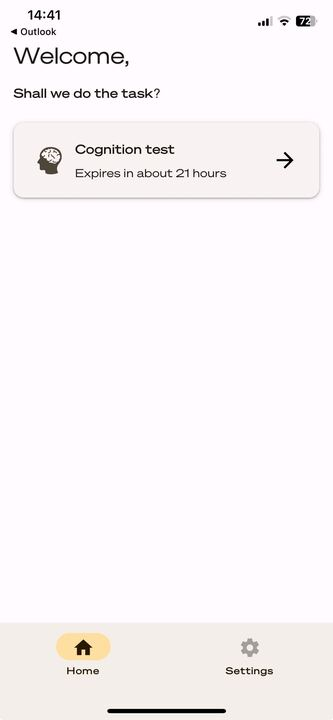
Participants are taken to the Home screen where assigned experiment(s) are displayed.
⚠️ If the app is not yet installed:
-
iOS (all accounts) & Android (Business Google Accounts):
-
Participants must click the link again after installation to access the app.
-
-
Android (regular Google accounts):
-
The app opens directly after installation without needing to click the link again.
-
Step 2: Participants Already Logged In
-
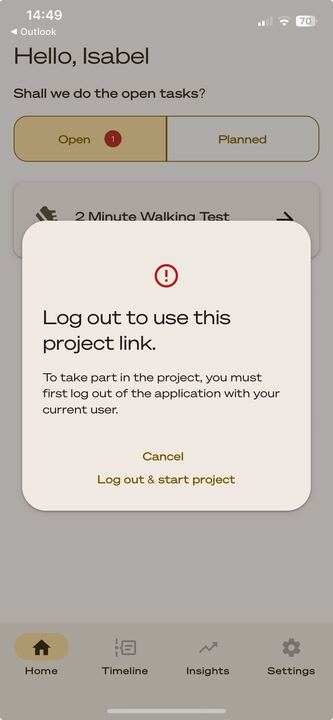
If participants have the app installed and are logged in:
-
💬A message is displayed when accessing the link.
-
🚀Clicking the message redirects directly to the Home screen.
-
Step 3: Unsupported Devices
-
💻Accessing the link from unsupported devices, e.g., desktop browsers, displays an informative error page.
Step 4: Expired Links
-
⚠️Expired links show a clear message on both desktop and mobile devices, indicating the link is no longer valid.
Step 5: Completion Confirmation
-
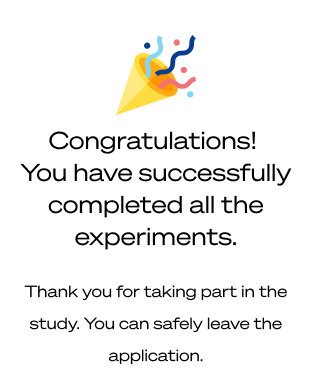
Once participants finish all experiments:
-
🎉A confirmation message is displayed.
-
🚫Experiments are no longer accessible from anyone.
-
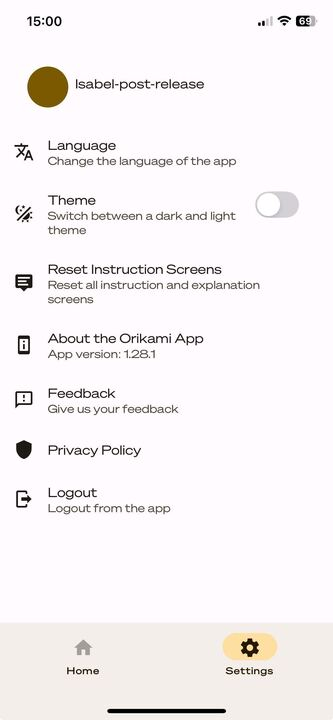
Step 6: Settings Tab
⚙️The feature includes a Settings tab, offering:
-
Language configuration
-
Theme
-
Instructions configuration
-
App information
-
Feedback
-
Privacy Policy
-
Logout