

|
Release |
https://orikami.atlassian.net/projects/KRN/versions/10478/tab/release-report-all-issues |
|
Date |
|
|
Version |
Pelican Release: Krane |
|
Description |
|
|
Contributors |
@User@User@User@User@User |
Summary
We’re excited to share what we’ve been building! Here’s what’s new in our recent KRANE release: Pelican (September 17th, 2025).
New Features
🚀Insights
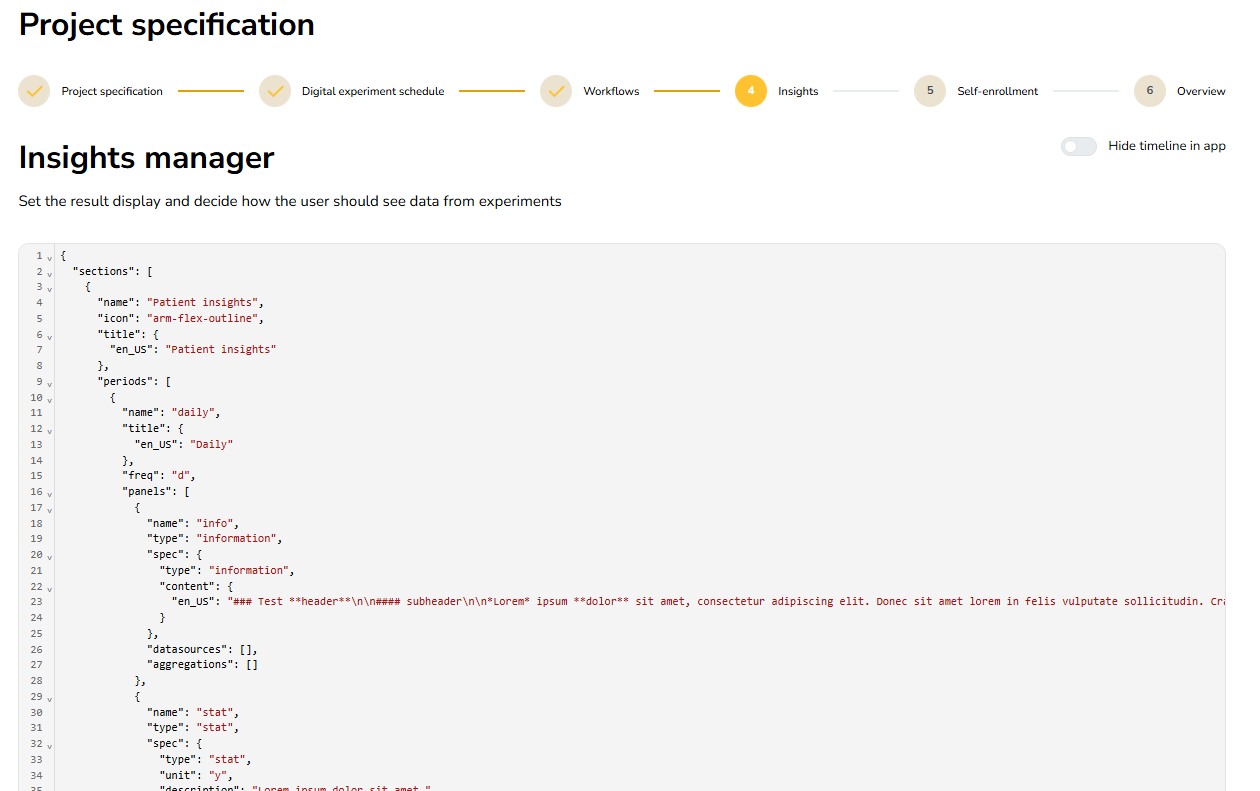
The Insights feature allows project managers to configure Insights for a project, specifying which data is displayed in the app, how it is aggregated, and the display format. This can be done through the Portal by adding the JSON configuration (insights-advanced.json ) in the text box.
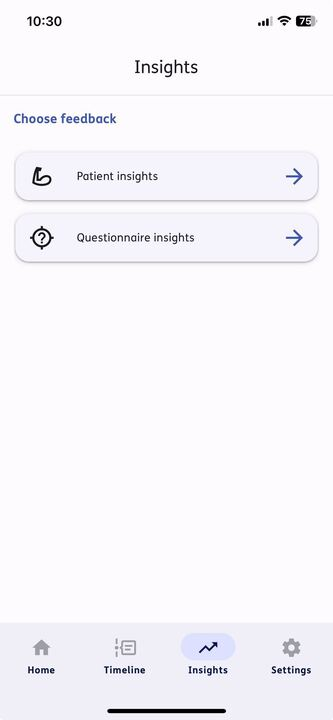
Participants can access these Insights via the Insights Tab (see image bellow).
Once a patient accesses one of the Insights (for example Patient Insights), they can view charts, statistics, text, and information cards with expandable advice, according to what has been configured through the JSON. Patients can also filter the data by time period (Daily, Weekly, Monthly, Yearly).
For example, in the image below, the patient has selected “Weekly.”
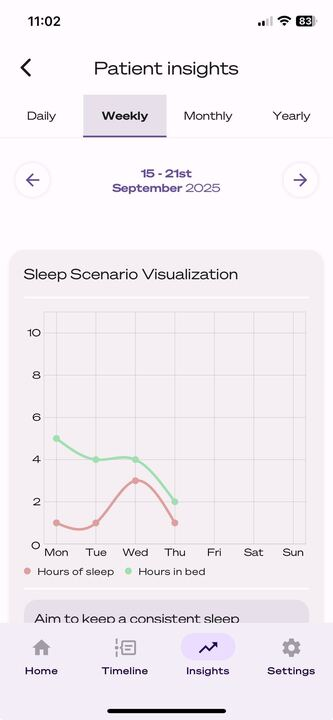
And by scrolling down, the patient can see that the advice for the line chart appears just below the graph (see video). If the advice is too long, the patient can click “Read more” to view the full text.
🚀Improvements on Scheduling Logic
New scheduling options are now available:
-
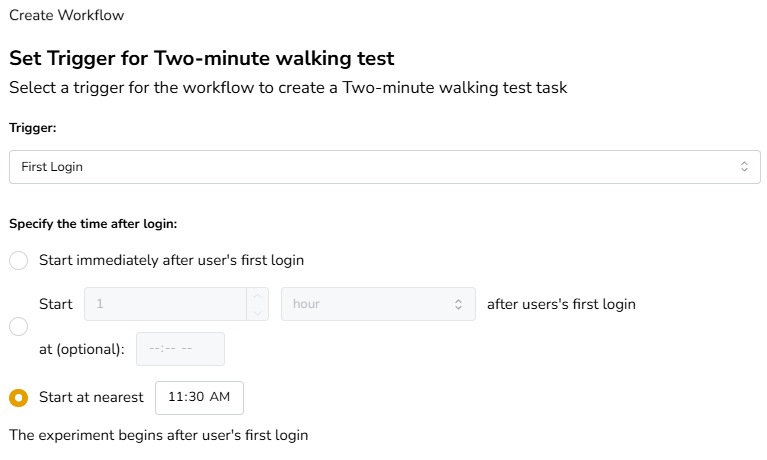
First Login trigger: experiments can be scheduled to start at a specific time after a participant’s first login.
Example (see image below): the 2MWT is scheduled at 11:30am following the patient’s first login. In case the patient logs in later (for example at 11:45am), the experiment will automatically be rescheduled for the next day at 11:30am, making it available then.
-
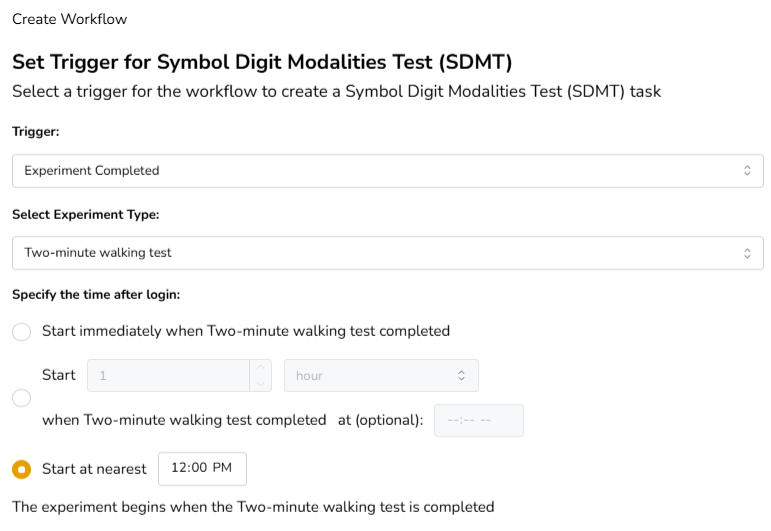
Experiment Completed trigger: experiments can be scheduled to start at a specific time after another experiment has been completed.
-
Example (see image below): SDMT is scheduled at 12:00pm once 2MWT has been completed. In case the patient performs the 2MWT later than expected (for example at 12:15pm), the SDMT will automatically be rescheduled for the next day at 12:00pm, making it available then.
-
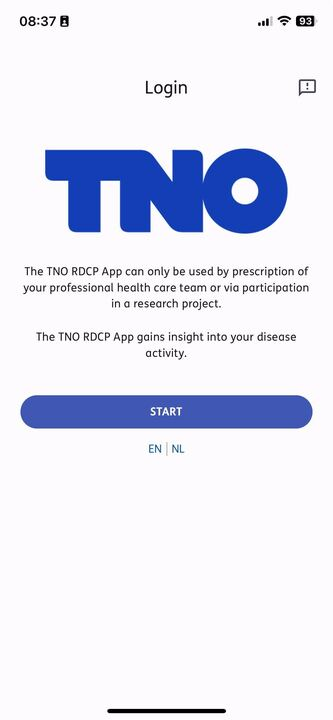
🚀App branding for TNO
New TNO app available on both iOS and Android.
🚀Delete and Update questionnaires
This release enhances questionnaire management. Questionnaires that are no longer needed or have become obsolete can now be updated through the API, and participants will see the changes reflected in the app. All answers from existing questionnaires in timelines will remain intact, ensuring that previously completed or scheduled questionnaires are not affected.
Additionally, questionnaires can be deleted via an API endpoint. This allows researchers to remove obsolete questionnaires from the app while preserving past results and maintaining data integrity.
🚀Experiments automatically rescheduled after Delete Results
All experiments are now automatically rescheduled when the user deletes a result. Here a video as a demonstration:
https://jam.dev/c/f58144b5-2427-4b63-9286-868c5c8bd657
🚀Devices Management
This release also introduces a device management feature, allowing IoT devices to be securely registered, updated, or unregistered.
In addition, device data can now be queried within specific date ranges, providing access to relevant information while ensuring data security and integrity.

🚀Status Page
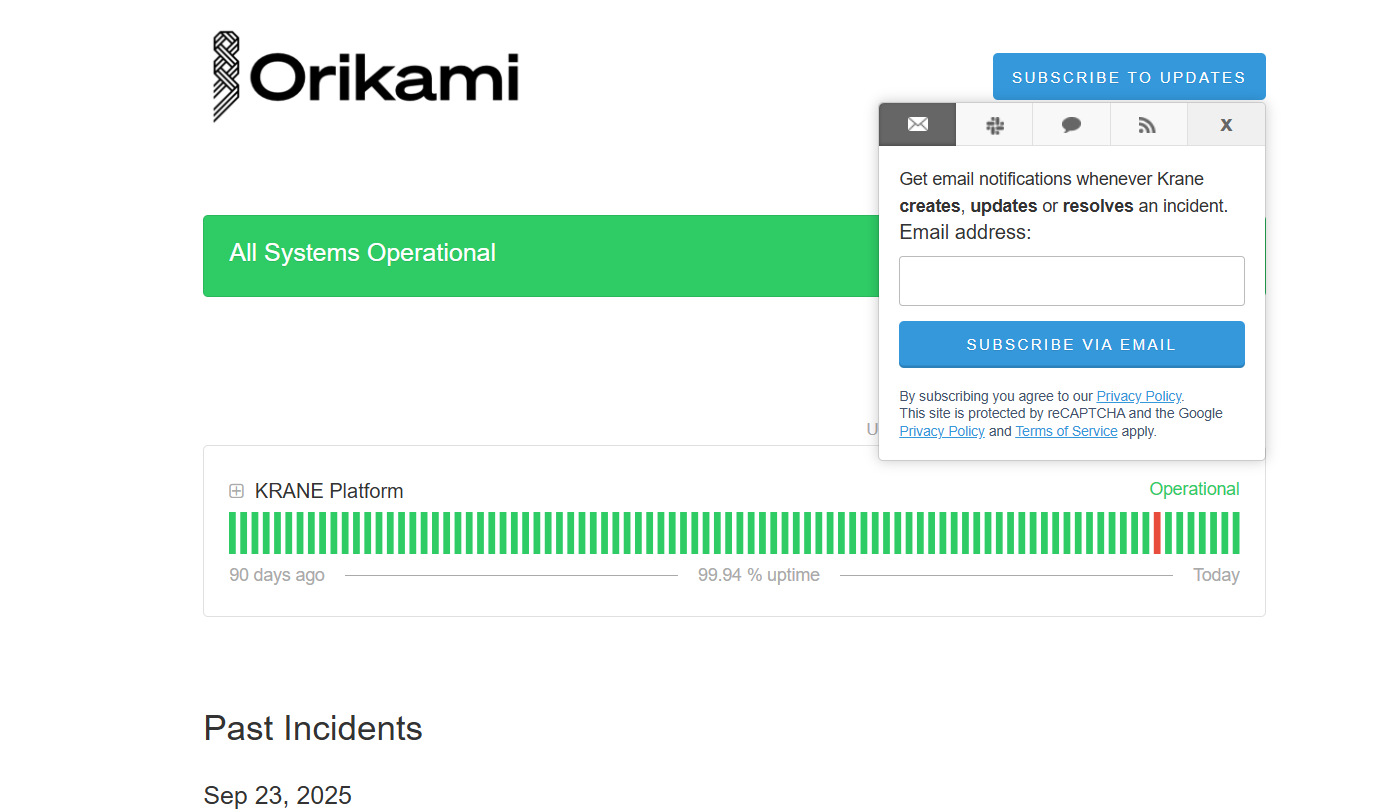
Also available the Krane Status Page, where you can check the current system status and any ongoing incidents. You can also subscribe to updates using the “Subscribe to Updates” button to receive real-time notifications directly by email or slack.
🐛Bug fixes
We’ve fixed several issues with task scheduling and also related to TUG and 2MWT, to improve overall stability and consistency across the platform.
App Store / Google Play:
-
Orikami App:
-
Improvements on Scheduling Logic
-
Experiments automatically rescheduled after Delete Results
-
Bug fixes
-
-
Orion App:
-
Improvements on Scheduling Logic
-
Experiments automatically rescheduled after Delete Results
-
Bug fixes
-
-
TNO App:
-
New App branding
-
Insights tab
-