
1. Introduction
1.1. Purpose
This Instruction for Use provides the set of tasks required to perform a test for another participant as a member. This is relevant for in clinic assessments.
1.2. Roles & Responsibilities
Only members on projects that accept in clinic assessments can perform tests for other participants
2. Procedure description
Step 1: Show clinical patients
To show the patients in the app:
-
🔑 Login to the app with your member account.
-
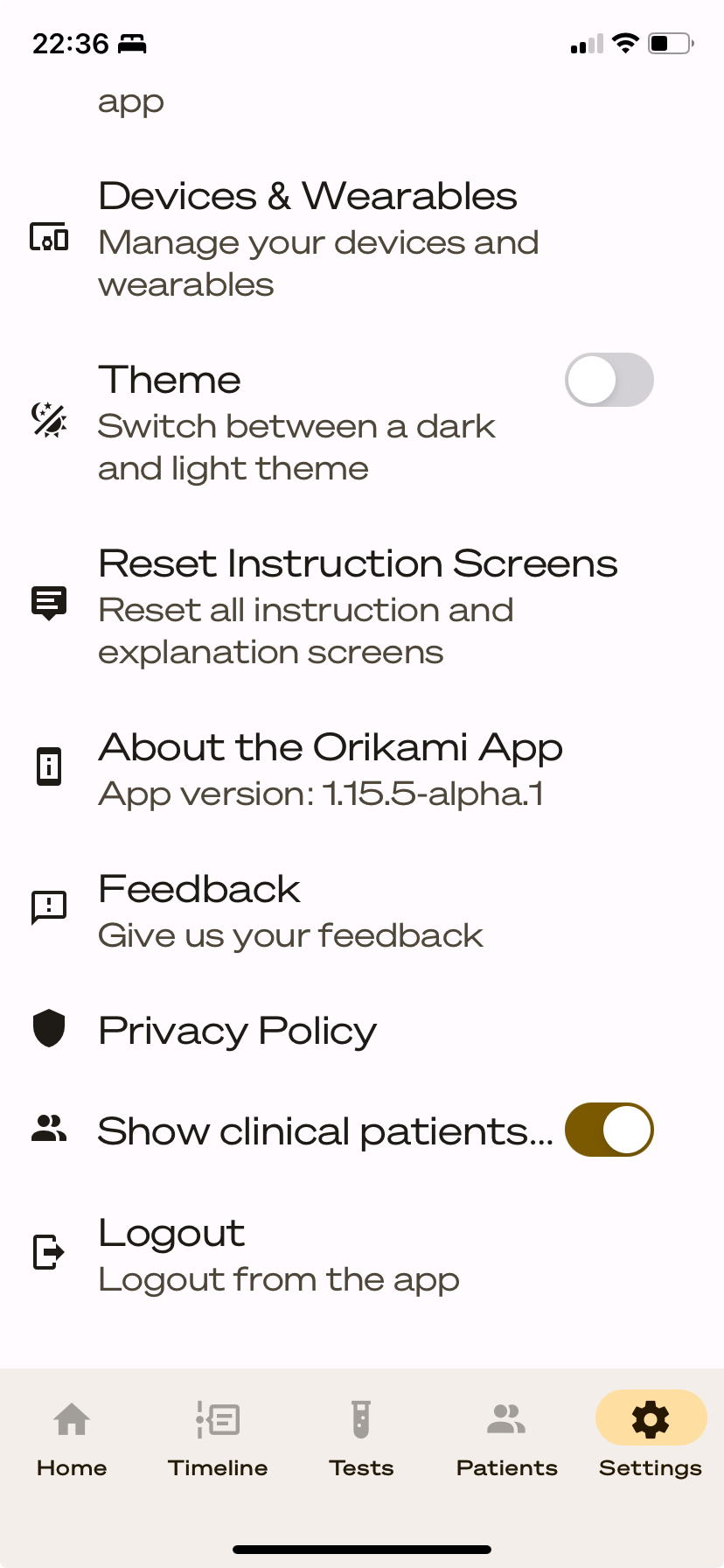
⚙️ Navigate to settings.
-
🔄 Toggle the "Show Clinical Patients" button.
-
📋 An extra tab will appear in the lower bar with patients.
-
📞 To get a project with clinical patients enabled, please contact Orikami support.
Step 2: Start a test for the right patient
To start a test:
-
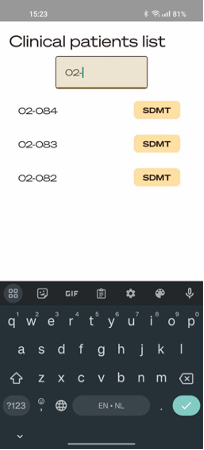
🔍 Find the right patient by searching for the
patient_id(you can find the ID in the portal under patients). -
🖱️ By clicking on the test, the test starts for this patient.
-
📋 Currently, we only support SDMT tests for in-clinic assessments.